
AWS Marketplace Billing
Enable billing through AWS Marketplace for WarpBuild CI products
Setup
You can subscribe to WarpBuild CI products directly through AWS Marketplace.
-
Find our product on AWS Marketplace and click
View purchase options.
-
Review the offer and click the
Subscribebutton at the bottom of the page. -
While the subscription is being created, click the
Set up your accountbutton at the top of the page.
You can also do this after the subscription is created, in which case the callout will look like this:

-
You will be redirected to a page where you can select the organization to connect this subscription to. You must be an admin of the organization.
Note
- If you are not logged in, you will be prompted to log in first.
- If the subscription is already connected to an organization, you will see a message saying "This AWS account is already linked to a WarpBuild organization".
- This step can only be done by organization admins.
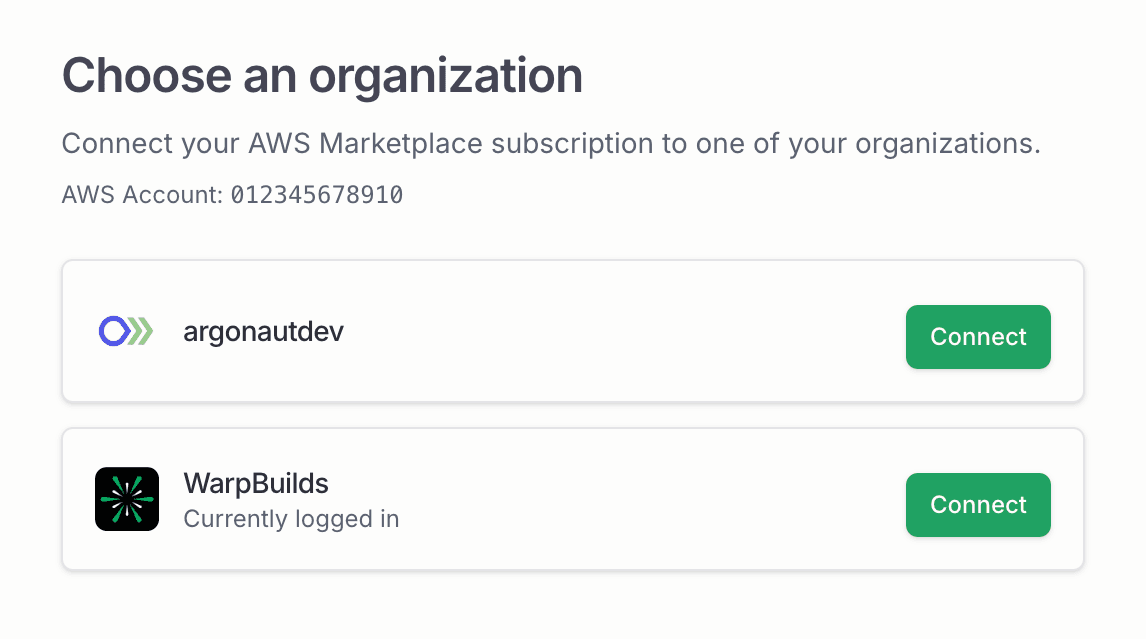
-
Once connected, the subscription will be activated shortly. If the subscription is not yet active, the billing dashboard will show the following message:

When the subscription is activated, the billing dashboard will show this:

-
You can now start using WarpBuild CI products.
Limitations
- AWS Marketplace billing does not support free credits.
- You cannot use Helios with AWS Marketplace billing.
- We bill organization usage on a daily basis. Billing occurs every day at 12:15 AM UTC for the previous day. Therefore, the costs on AWS Marketplace might not match the actual costs you see on our billing dashboard.
Last updated on