
WarpBuild 🤝 Claude Managed Agents
WarpBuild's Linux and macOS runners can now be the self-hosted execution environment for Claude Managed Agents. Give your agents a full runner VM to work in, billed by the second at CI rates.
WarpBuild provides full-featured runners that mirror GitHub runners to run your CI workloads. They come in a range of operating systems (ubuntu-22, ubuntu-26, macos-15, macos-26), architectures (x86-64 / arm64), and core sizes (2x to 32x). See the full list. These same runners can now be the execution environment for Claude Managed Agents. We support Linux and macOS runners today; Windows support is coming soon.
Claude Managed Agents
Anthropic recently introduced Claude Managed Agents, which let you run Claude as an autonomous agent, well suited to long-running and asynchronous tasks. An agent has two main components: the harness that drives it, and an environment that executes the commands the harness wants to run.
The harness lives on Anthropic's side and can be customised on their platform with custom instructions, a toolset, and more. The execution environment can either be hosted by Anthropic or be self_hosted. WarpBuild can now be that self_hosted execution environment. We currently support stock runners; support for custom runners and images will be added in the future.
Why WarpBuild?
We use the exact same full-featured runner VMs for this feature that we use to run your CI jobs. That means every runner comes with the common software preinstalled at its latest version, and every agent gets VM-level isolation. You can find out what's on the latest images (as at the time of this blog) in our Changelog.
When it finishes, your agent should write its output artifacts to the designated /mnt/session/outputs directory.
Anthropic omits the outputs directory from the system prompt for self_hosted environments, so make it part of your own system prompt. Instruct your agent to write deliverables to /mnt/session/outputs explicitly. See the sandbox filesystem docs.
When the session ends, WarpBuild persists that directory and makes it available on your dashboard as a downloadable cache artifact. Outputs are treated as CI cache artefacts; they have a TTL of 7 days post last access, and are billed as such; see cache rates. The agent runner VMs are billed by the second, at the same rates as the CI runners.
Onboarding
Head over to the Agent Runners section of your WarpBuild dashboard and connect your Anthropic organisation:
-
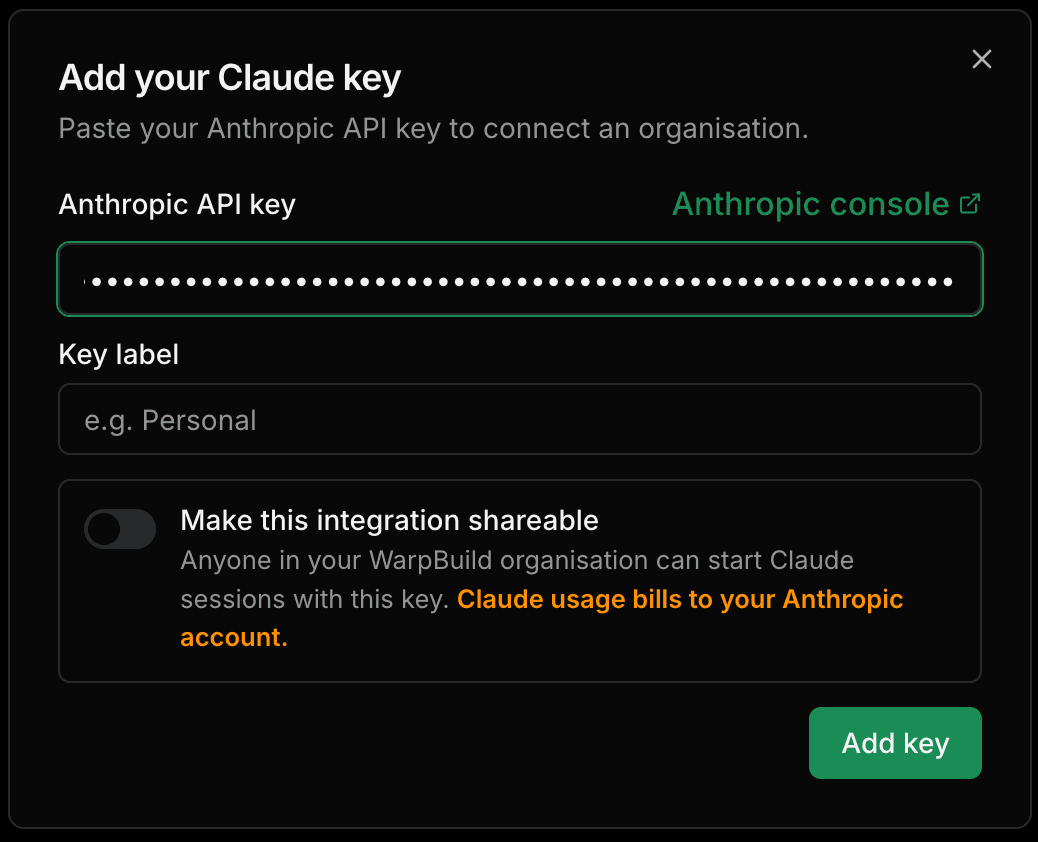
Connect your environment. Paste your Anthropic API key to link your organisation. WarpBuild provisions a Claude environment and hands you a per-organisation webhook URL to finish setup.
-
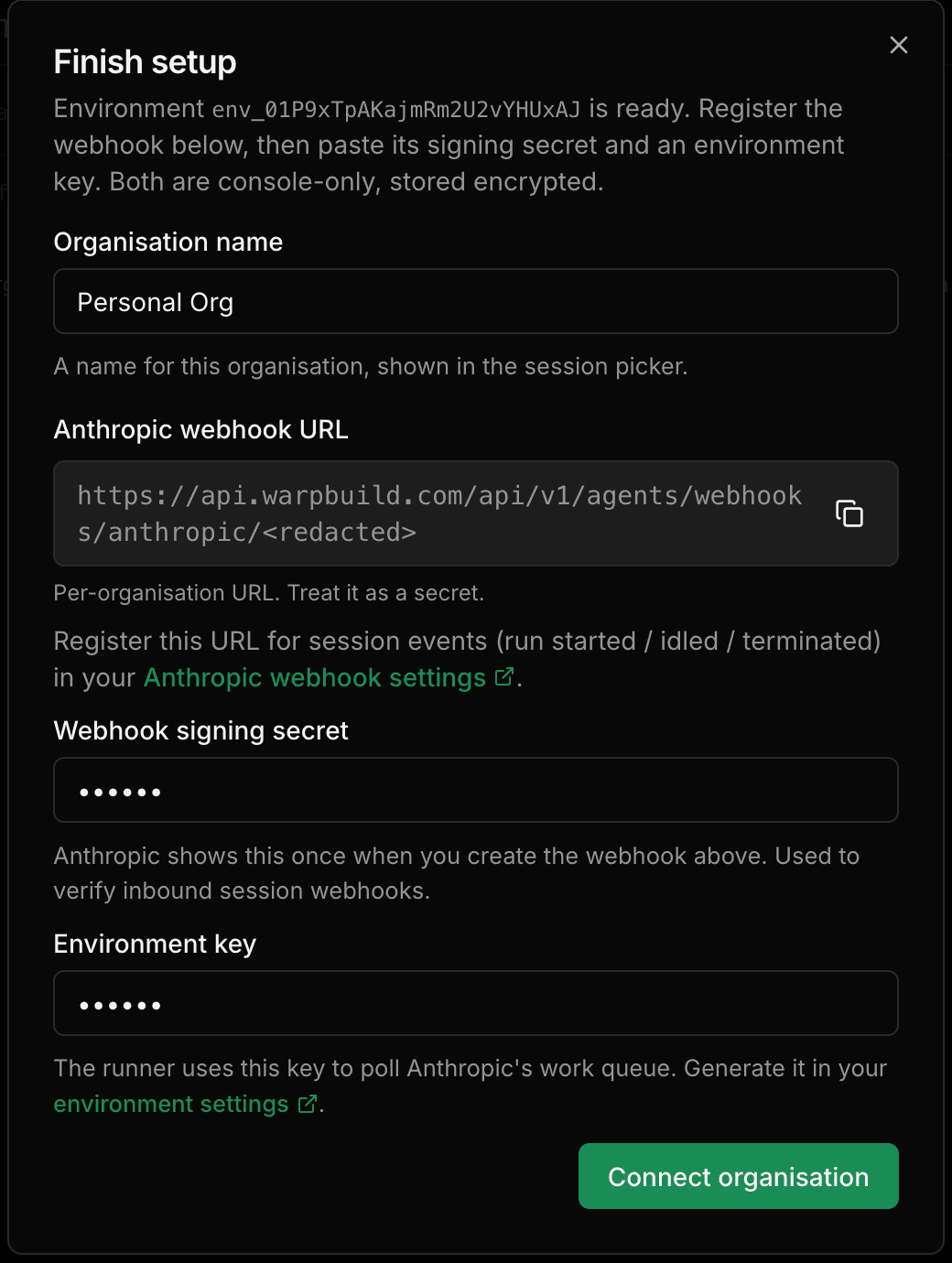
Register the webhook with Anthropic. Add that per-organisation URL as a webhook endpoint in your Anthropic settings, so session events (run started, idled, terminated) route to WarpBuild. Paste the signing secret Anthropic returns back into WarpBuild, along with an environment key from your Anthropic environment settings.
-
Start a session. Head over to Sessions, choose the runner label (OS, architecture, and core size) that your agent should run on. Any stock Linux or macOS runner works. WarpBuild spins up a fresh runner, runs the agent inside it, and tears it down when the session ends. You can download anything your agent wrote to
/mnt/session/outputsfrom the dashboard.
Give your agents a real environment to work in.
Last updated on
Cirrus CI Is Shutting Down: Migrate to GitHub Actions + WarpBuild
Cirrus CI shuts down June 1, 2026 as Cirrus Labs joins OpenAI. Learn how to migrate your workflows to GitHub Actions with WarpBuild - faster M4 Pro macOS runners, snapshots, unlimited concurrency, and 50% cheaper than GitHub's default runners.
Concurrent tests in GitHub Actions
Speeding up test suites by running them concurrently on multiple machines with GitHub Actions